The roast runs on the server. Every screen is just a view.
Roastwarden records and controls a coffee roaster from a small server on your network. It drives profiles, raises alarms, reads the numbers for you and keeps the coffee's records from green bean to bag. Close the laptop mid-roast; the roast carries on, and your phone shows it.
Status: Roastwarden is in active use on its author's fluid-bed roaster and heading for a public beta. The documentation is here now; the image and the source are published with the beta. Releases
Built around the server
Artisan made home roasting measurable. Roastwarden keeps its file formats and moves the work into a server that stays up.
A roast that does not depend on a browser
The server talks to the roaster and runs everything: recording, profile drive, alarms, fan assist, auto events, cooling. Any number of browsers watch it. A tab closing, a laptop sleeping or a phone locking changes nothing.
Control for electric roasters
Profile drive with heater and fan curves, a PID loop tuned by the server's own relay autotune, a gain schedule, fan assist late in the roast, and auto DROP by time, temperature or development.
Guidance you can check
A roast is read against cited references and your own roaster's history, and the roaster's model predicts first crack and DROP and scores itself. No cloud and no AI verdicts: every line says where it came from.
From green bean to bag
Everything a home roaster or a small roastery records, in one place, and nothing you don't use: modules switch off what a home install doesn't need.
The roast page
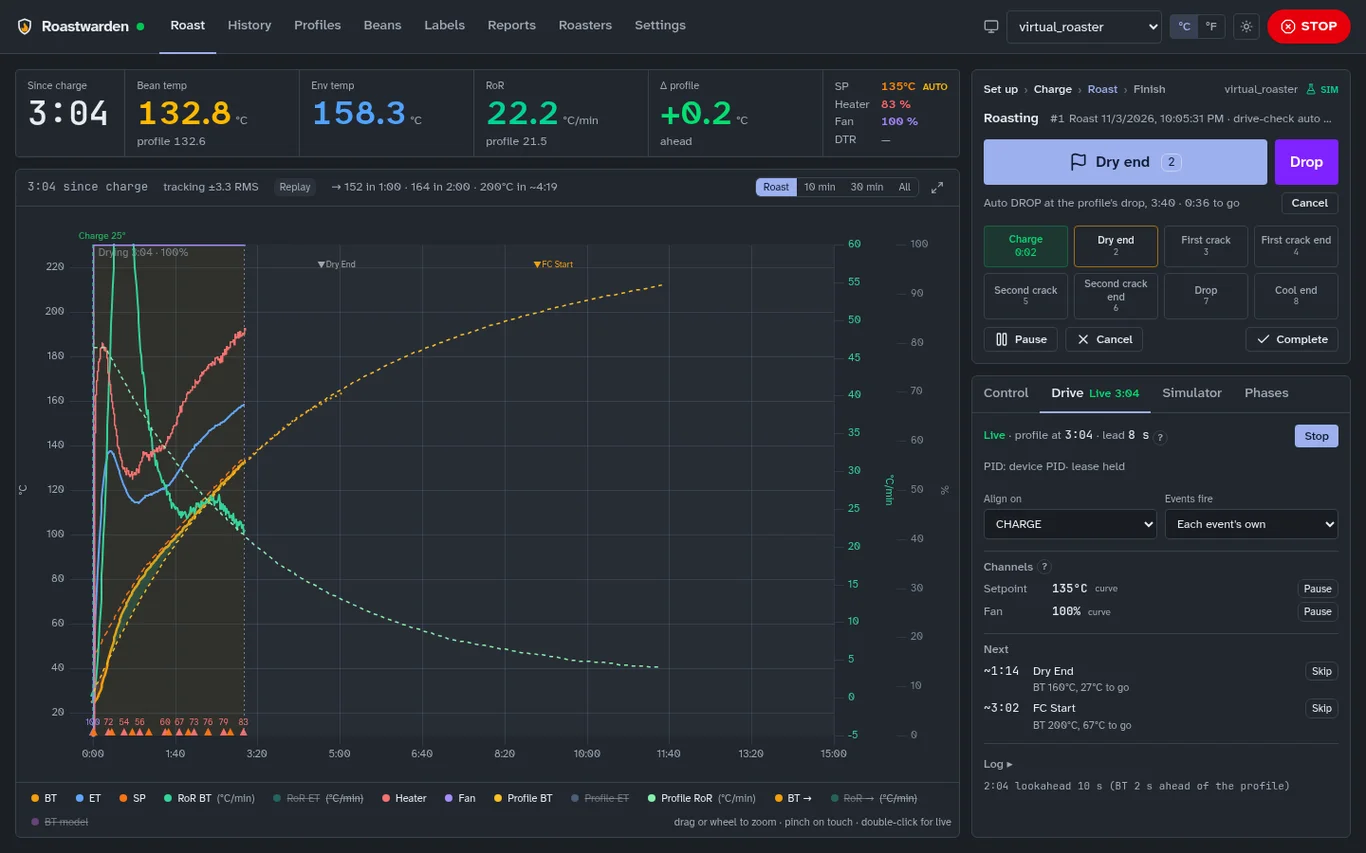
A live chart that fits a laptop screen without scrolling: bean and environment temperature, rate of rise, heater and fan, the profile behind, landmarks, phase times and projections. It works on a phone too.
MoreProfiles and drive
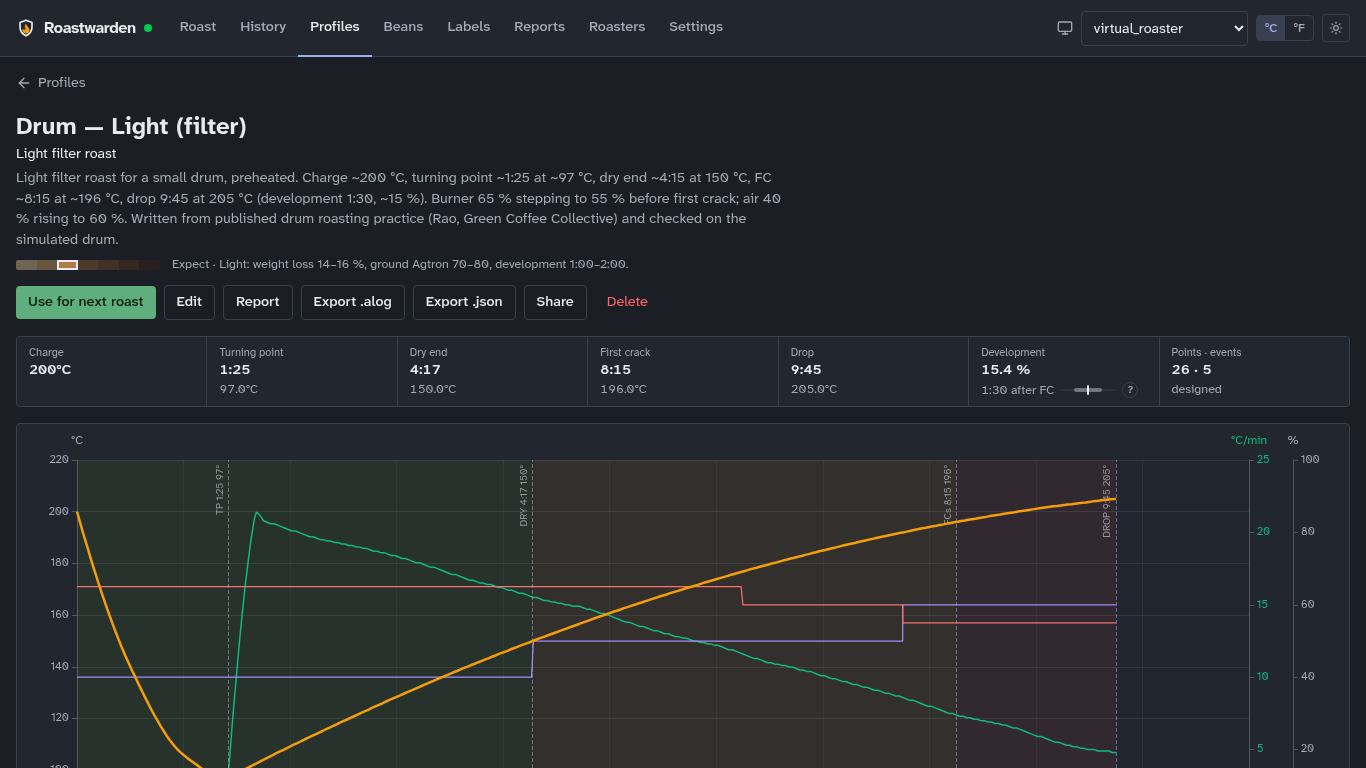
Seed profiles by roaster kind, Artisan .alog import and export, profiles made from a good roast, and shared by a link that another Roastwarden imports.
MorePrediction and warnings
The roaster's own model, fitted from its roasts: bean temperature two minutes ahead, first crack and DROP, and a warning before the rate of rise crashes, flicks or stalls.
MoreAny roaster, safely
A new roaster only records until you switch control on. Each has a kind, outputs with limits and a fan floor, and one gate in the server holds every command to it.
MoreGreen coffee and stock
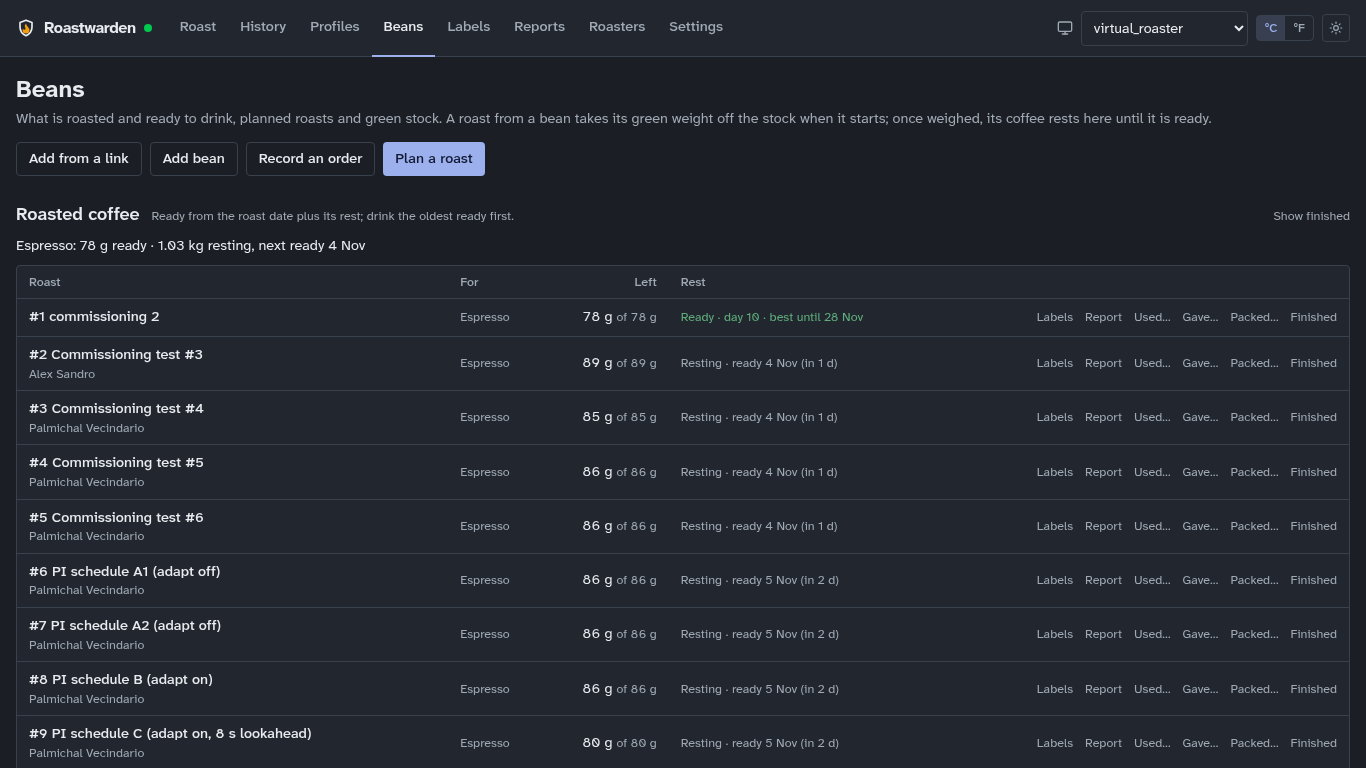
Purchases with their cost per roast, coffee added from a supplier's link, a shopping list that becomes cart links, planned roasts and batch numbers, and roasted coffee with its rest window.
MoreLabels and reports
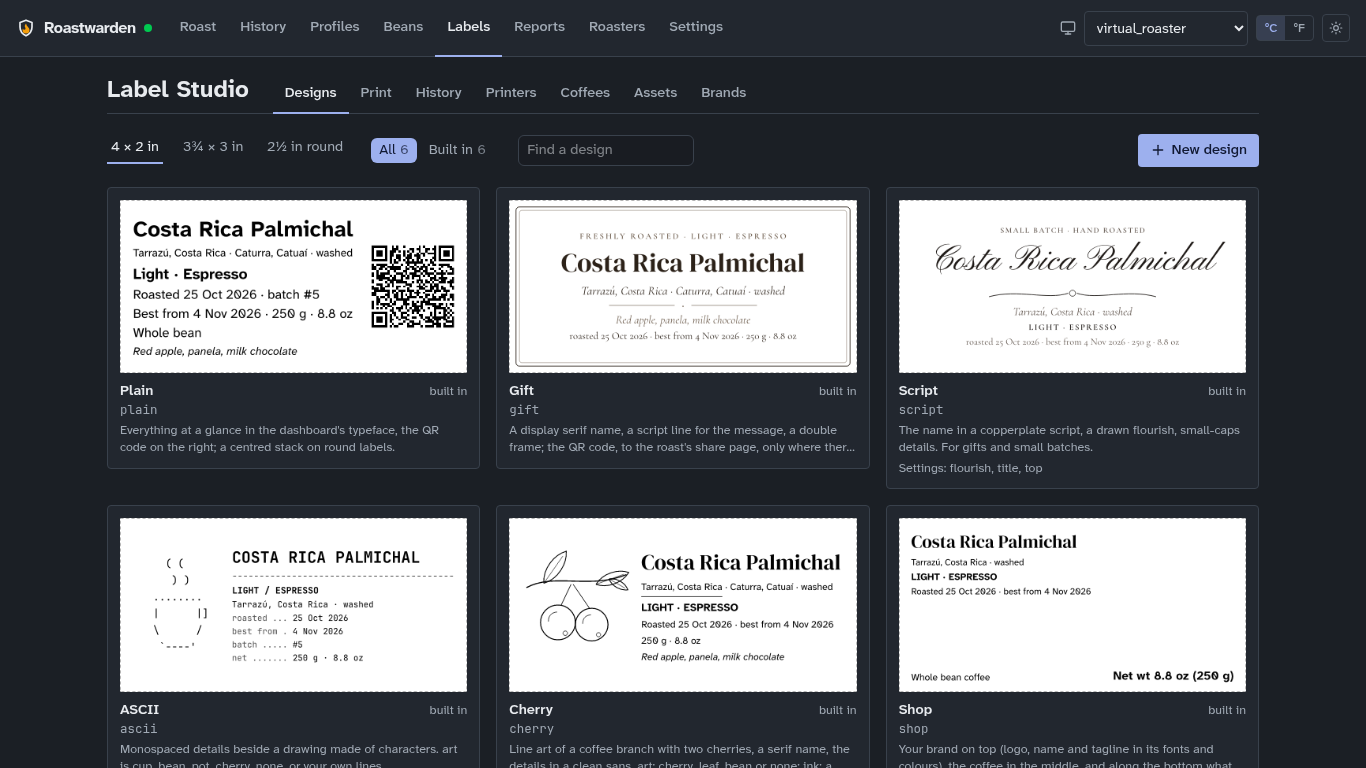
Bag labels designed in Typst and printed over IPP, with a public page behind each QR code; PDF reports of a roast, a comparison, a coffee, a period or the inventory.
MoreArtisan friendly
Profiles and alarm files both ways, a machine picked from Artisan's catalogue, and Artisan itself as an extra screen over Modbus.
MoreAgents and scripts
The roast command does everything the dashboard does, and an Agent Skill teaches agents to use it: "I bought 5 kg of Ethiopia Guji" is recorded with its cost. Scoped tokens, approvals and an audit log keep them honest.
MoreYours to keep
Self-hosted in one container on a Raspberry Pi or any Linux machine, SQLite with nightly backups and a checked restore, no telemetry, open file formats and a free licence (AGPL-3.0).
MoreWhat it looks like
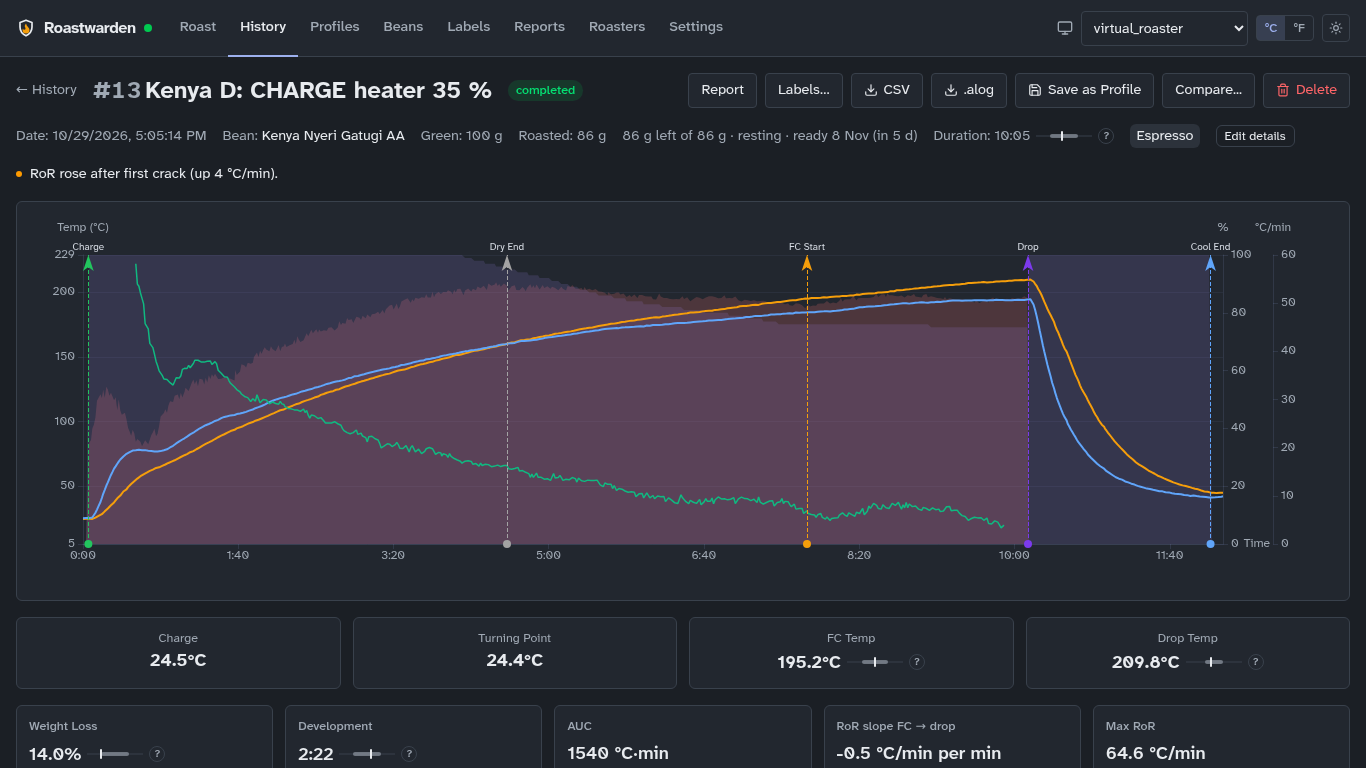
Screenshots of the dashboard, from a real install.
Your roaster
Roastwarden has no drivers to wait for. A roaster that sends readings and takes commands in a shape it can map works, by configuration, and one check says how far it can go.
- MQTT (built-in broker)
- Modbus TCP
- Modbus RTU / ASCII (RS-485)
- TC4 / aArtisan serial
- WebSocket
- Phidgets temperature boards
- Tasmota and ESPHome boards
- Machines from Artisan's catalogue
Connect your roaster: what Roastwarden expects, and a tested example for each transport. Or try it first on the simulated roasters built into the server.
Read the user guide for a roast from charge to drop, or the install guide to see what running it takes.